
Organizations around the world are still cleaning up the devastation left behind by Petya and the WannaCry ransomware, with damage ranging from a minor inconvenience to complete shutdowns of company operations.
Hackers are taking the lessons learned from Petya and creating new variants that improve the ability to move undetected between devices using the EternalBlue exploit. This is why WannaCry is so destructive.
Or, in other words, the vulnerability in the Server Message Block( SMB) 1.0 file-sharing protocol that Microsoft patched in March this year. If you think you are infected or your machine is running slow, then it is probably a good idea to get some virus removal service as soon as possible to protect your data.
SMB 1.0 is a legacy protocol that’s in all versions of Windows for the purposes of backward compatibility. Microsoft has recently updated its security baseline defines for Windows to include Group Policy templates that make it easy for system administrators to disable SMBv1.
>>> Related Post: Am I sending a Virus Via Email? <<<
The Windows 10 Creators Update will disable the SMBv1 WannaCry server component for clean installs out-of-the-box, and SMBv1 will be completely removed from Enterprise and Education SKUs.
The easiest route to disable SMBv1 in your organization is to download the Security Compliance Toolkit 1.0 from Microsoft’s website here. As part of the kit, you’ll find documentation listing all the recommended security defines, and Group Policy Object( GPO) backups for speedily creating GPOs in Active Directory to apply the recommended security sets.
It’s important that you test the settings to ensure they don’t break any critical functionality. There is also an ADMX template ( MS Security Guide ) that offer three additional Group Policy defines that administrators can use to disable. The three defines are :
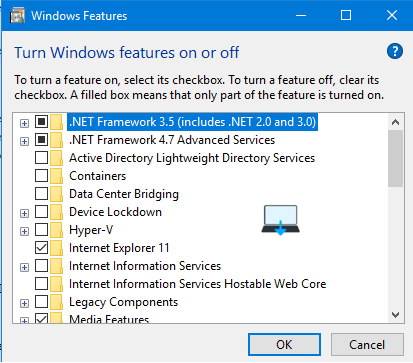
Fix WannaCry
1. Configure SMB v1 server
2. Configure SMB v1 client driver
3. Configure SMB v1 client (extra setting needed for pre-Win8. 1/2012 R2)
The first setting, Configure SMB v1 server, should be set to disabled to protect data from the Ransomware virus. This turns off the SMBv1 server component. Configure SMB v1 client driver should be set to Enabled, and then disable driver selected from the drop-down menu.
The third setting is only for Windows 7 and Windows Servers 2008, 2008 R2 and 2012, which require an extra setting to disable the SMBv1 client driver.
Configure SMB v1 client (extra setting needed for pre-Win8. 1/2012 R2) should be set to Enabled, and the following 3 lines of text entered in the Configure Lanman Workstation dependencies text box 😛 TAG END
Bowser
MRxSmb2 0
NSI
Once the defines have been applied, any devices in the scope of the GPO must be rebooted for the settings to take effect.
Disabling SMBv1 Virus / Ransomware can reduce the likelihood of malware like Petya infecting your systems. But it is by no means the only measure you should take.
Removing administrative privileges from users, implementing application control, securing management tools, ensuring that systems and apps are patched in a timely manner.
Defences, such as the Microsoft Office Trust Center and Windows Defender, all have an important role to play.
If your computer is having any of these symptoms of WannaCry consider having a Tune-Up from Best Computer Repair.
>>> Related Post: Am I sending a Virus Via Email? <<<
If you enjoyed reading this post on “How to Disable smbv1 WannaCry Virus Ransomware in Windows 10/11“ or if it helped you in any way, please feel free to show your support by giving us a share or a like.
It would mean a lot to us!… Still unsure about something?
Then consider giving us a chance to help you decide the best course of action for your situation, along with what would best meet your requirements.
We are highly flexible with a no fix no fee policy, one of the leading computer repair specialists, plus custom-built PC/server build, cybersecurity experts in Bridgend covering the whole of South Wales, U.K.
Book your FREE no-obligation quote today!
Our normal service area is Bridgend, however, we also cover Swansea, Port Talbot, Bryncethin, Sarn, Ogmore Vale, Maesteg, Llantwit Major, Cowbridge, Barry, Penarth, Dinas Powys, Cardiff, Newport.
Best Computer Repair Bridgend plus South Wales, U.K. also offer worldwide remote support, virus removal, or even custom-built gaming PCs.
We work with competitive rates, contactless payment, free delivery, along with a friendly, professional service that can’t be compared anywhere else in the IT Services industry.
Why not contact us today here or say hello in the live chat at the bottom right of the page. Thank you for reading, plus have a wonderful week! 🙂
To our continued health plus success
Eric Luis – CEO Best Computer Repair –
Bridgend and South Wales, U.K.


POST REPLY