
Regular maintenance plus cleaning of your laptop are activities that many users overlook, leading to reduced performance plus, in some cases, damage that could have been easily avoided.
In this comprehensive guide, we’re going to walk you through the importance of regular laptop maintenance and cleaning, plus how this simple best practice can ensure your laptop lasts longer, performs better, and stays secure.
>>>Related post: 10 Essential Laptop Maintenance Tips<<<
This blog emphasizes the significance of regular laptop maintenance and cleaning.
It highlights the potential benefits, including increased lifespan, improved performance, along with enhanced security.
We’ll also provide a step-by-step guide on how to maintain and clean your laptop effectively.
The information below is intended to cater to all laptop users, from the casual browser to the hardcore gamer, plus from the home office worker to the mobile professional.
Why Laptop Maintenance Matters
Laptops, like any other machines, require regular upkeep to ensure they function efficiently. Let’s explore the reasons why regular laptop maintenance is crucial to your digital life.
- Enhances Performance
Without regular maintenance, laptops tend to slow down.
Unnecessary files accumulate, disk space becomes cluttered, and before you know it, opening a simple document becomes an exercise in patience.
Regularly maintaining your laptop helps enhance its speed and performance, ensuring it runs as smoothly as the day you bought it.
- Increases Lifespan
Regular maintenance can significantly extend your laptop’s lifespan.
By keeping the software up-to-date and the hardware clean, you prevent overheating and undue strain on the components, which can lead to premature hardware failure.
- Boosts Security
Regular updates not only bring new features and bug fixes but also patch security vulnerabilities.
Ignoring these updates can leave your laptop exposed to viruses, malware, and hackers.
Regular maintenance ensures your system is always up-to-date, and your data is secure.
- Saves Money
An ounce of prevention is worth a pound of cure.
The cost of regular laptop maintenance is minimal compared to the cost of data recovery after a hard drive failure or the replacement of an overheated component.
Instead, call your local computer repair company to run a diagnostics check on your laptop to avoid these issues in the future.
The Importance of Laptop Cleaning
In addition to software maintenance, physical cleaning of the laptop is equally important.
A clean laptop is more than just aesthetically pleasing, it’s a matter of performance along with longevity.
- Prevents Overheating
Dust plus debris accumulate in vents and fans over time, causing your laptop to overheat.
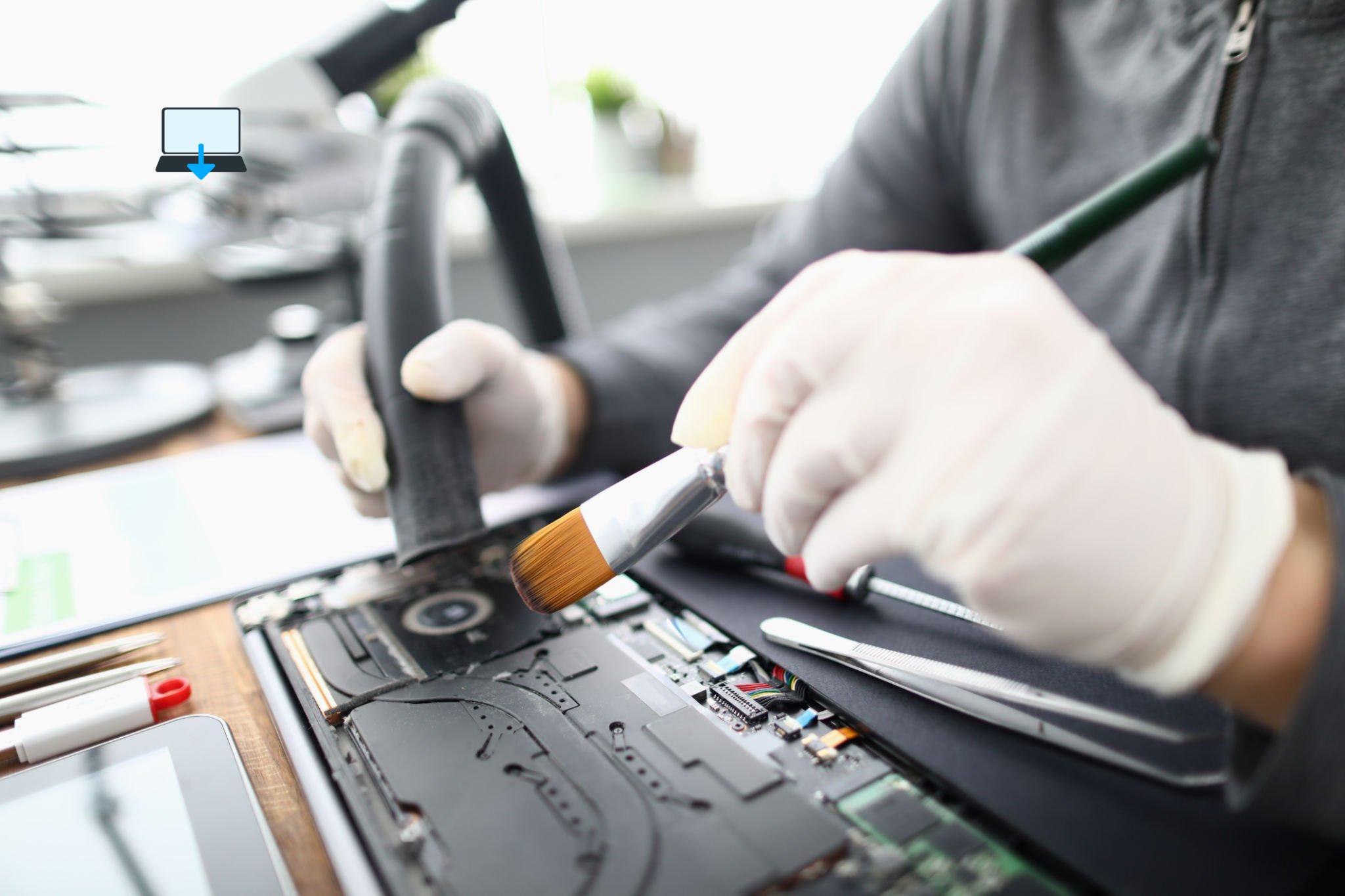
This not only slows down performance, (See picture below) but can also cause permanent damage to your laptop’s components.
- Keeps Keyboard and Trackpad Functional
Dirt, dust, and crumbs can get under your keys and trackpad, causing them to stick or stop working entirely.
Regular cleaning prevents this issue.
- Maintains Screen Clarity
Dust and smudges on your screen can strain your eyes.
Regular cleaning keeps your screen clear and your eyes comfortable, especially during long hours of use.
Regular Laptop Maintenance: A Step-by-Step Guide
Now that we understand the importance of laptop maintenance and cleaning, let’s look at a simple routine to keep your laptop in top shape.
- Regular Software Updates
Keep your operating system and all your software up to date. This will ensure you have the latest security patches and performance improvements. We wrote more on operating system updates here
- Disk Clean-up
Use built-in tools like Disk Clean-up on Windows, or third-party applications, to regularly remove unnecessary files from your hard drive.
- Uninstall Unused Applications
If you have applications that you no longer use, uninstall them. They take up disk space and can slow down your system startup along with using more ram than you could be using for yourself.
- Regular Backups
Regularly backing up your data ensures you won’t lose important files in the event of a hardware failure.
Laptop Cleaning: A Step-by-Step Guide
- Cleaning the Screen
Use a microfiber cloth to gently wipe the screen.
If necessary, slightly dampen the cloth with water or a screen cleaning solution.
- Cleaning the Keyboard and Trackpad
Turn off the laptop and lightly shake it to remove any loose debris.
Use compressed air to blow out any remaining dust, and a disinfectant wipe or a cloth dampened with isopropyl alcohol to clean the surface.
- Cleaning the Vents and Fans
Use compressed air to blow dust out of the vents and fans.
If you’re comfortable doing so, consider opening the laptop to clean the fans more thoroughly, as we do in the image above.
Conclusion
Regular laptop maintenance and cleaning are crucial to keeping your laptop functioning efficiently and protecting your data.
Taking a little time to perform these simple tasks can save you from a lot of trouble down the line. So make it a habit, your laptop (and your wallet) will thank you!
Remember that maintaining and cleaning your laptop is not a one-time activity, but an ongoing process. Set a reminder on your calendar, so you don’t forget your next maintenance along with cleaning session.
In the fast-paced world of technology, where new updates and upgrades are always on the horizon, taking the time to slow down and care for your current device can seem counterintuitive.
However, as we’ve elaborated, the benefits of regular maintenance plus cleaning are numerous. They enhance performance, increase lifespan, boost security, also best of all save you money in the long run.
On a final note, while we’ve provided a guide to help you maintain along with clean your laptop, it’s essential to remember that if you’re uncomfortable performing any of these tasks. Especially the ones involving hardware, it’s always better to seek help from a professional.
Eric Luis — CEO — Best Computer Repair
Keep your laptop happy, it will keep you productive along with entertained for years to come. After all, a clean laptop is a happy laptop!
>>>Related post: 10 Essential Laptop Maintenance Tips<<<
If you enjoyed reading this post on “The Importance of Regular Laptop Maintenance and Cleaning: A Comprehensive Guide“ or if it helped you in any way, please feel free to show your support by giving us a share or a like.
It would mean a lot to us!… Still unsure about something?
Then consider giving us a chance to help you decide the best course of action for your situation, along with what would best meet your requirements.
We are highly flexible with a no fix no fee policy, one of the leading computer repair specialists, plus custom-built PC/server build, cybersecurity experts in Bridgend covering the whole of South Wales, U.K.
Book your FREE no-obligation quote today!
Our normal service area is Bridgend, however, we also cover Swansea, Port Talbot, Bryncethin, Sarn, Ogmore Vale, Maesteg, Llantwit Major, Cowbridge, Barry, Penarth, Dinas Powys, Cardiff, Newport.
Best Computer Repair Bridgend plus South Wales, U.K. also offer worldwide remote support, virus removal, or even custom-built gaming PCs.
We work with competitive rates, contactless payment, free delivery, along with a friendly, professional service that can’t be compared anywhere else in the IT Services industry.
Why not contact us today here or say hello in the live chat at the bottom right of the page.
Thank you for reading, plus have a wonderful week! 🙂
To our continued health plus success
Eric Luis – CEO Best Computer Repair –
Bridgend and South Wales, U.K.


POST REPLY