
As technology continues to evolve at an unprecedented pace, the complexity of personal computers (PCs) has increased significantly. Throw in recent advancements in AI, (Artificial Intelligence) this complexity necessitates a greater emphasis on preventive PC maintenance to ensure optimal performance plus longevity.
Regular checks, cleaning, along with updates are essential components of this maintenance strategy.
In this blog post, we will explore the importance of preventive PC maintenance, its various practices, plus how they contribute to the overall health of your computer system.
>>>Related post: DIY PC Maintenance Tips to Extend Device Lifespan<<<
In our fast-paced digital world, computers have become indispensable tools for both personal and professional use.
From managing finances to facilitating communication and enabling creative expression, the role of PCs in our daily lives cannot be overstated.
However, as these machines grow more complex with advanced hardware and software configurations, the need for preventive PC maintenance becomes increasingly critical.
Preventive PC maintenance involves proactive measures taken to prevent potential issues before they arise.
This includes regular system checks, cleaning physical components, updating software, along with optimizing performance settings.
By adopting a routine of preventive care, users can enhance their computer’s efficiency while extending its lifespan.
The Growing Complexity of Computers
Modern computers are equipped with sophisticated hardware components such as multicore processors, high-speed RAM, solid-state drives (SSDs), and intricate graphics cards.
Additionally, operating systems and applications have become more feature-rich but also more demanding on system resources. This complexity can lead to various issues if not managed properly.
For instance, a user may experience slow boot times or lagging applications due to accumulated temporary files or outdated drivers.
Without regular maintenance checks to identify these problems early on, users may find themselves facing significant downtime or costly repairs.
The Importance of Preventive PC Maintenance
1. Enhancing Performance
One of the primary benefits of preventive PC maintenance is improved performance. Regularly checking system health can help identify bottlenecks that hinder speed and efficiency.
Some Best Computer Repair examples:
- Disk Clean-up: Over time, hard drives accumulate unnecessary files that take up valuable space along with slow down performance. Performing disk clean-up regularly can free up space plus improve access times.
- Defragmentation: For traditional hard drives (HDDs), defragmentation reorganizes fragmented data so that files are stored in contiguous sections. This process enhances read/write speeds.
- Software Updates: Keeping software up-to-date ensures that you benefit from the latest features plus security patches that optimize performance.
2. Preventing Hardware Failures
Preventive maintenance helps mitigate hardware failures by addressing potential issues before they escalate into serious problems:
- Dust Accumulation: Dust build-up inside a computer case can obstruct airflow plus cause overheating, a leading cause of hardware failure. Regular cleaning prevents dust accumulation around fans along with heat sinks.
- Thermal Paste Replacement: Over time, thermal paste between CPUs/GPUs and their coolers can degrade. Reapplying thermal paste during routine maintenance can improve heat dissipation.
3. Extending Lifespan
A well-maintained computer is likely to last longer than one that is neglected:
- Regular Inspections: Conducting periodic inspections allows users to spot wear-and-tear signs early on, such as frayed cables or failing hard drives, enabling timely replacements before complete failure occurs.
- Battery Care: For laptops specifically, maintaining battery health through proper charging cycles can extend battery life significantly.
4. Data Security
Preventive PC maintenance plays a crucial role in safeguarding sensitive data:
- Antivirus Updates: Regularly updating antivirus software protects against emerging threats that could compromise data integrity.
- Backup Solutions: Implementing routine backups ensures that critical data remains safe even in the event of hardware failure or malware attacks.
More on the best free antivirus recommendations we previously posted here
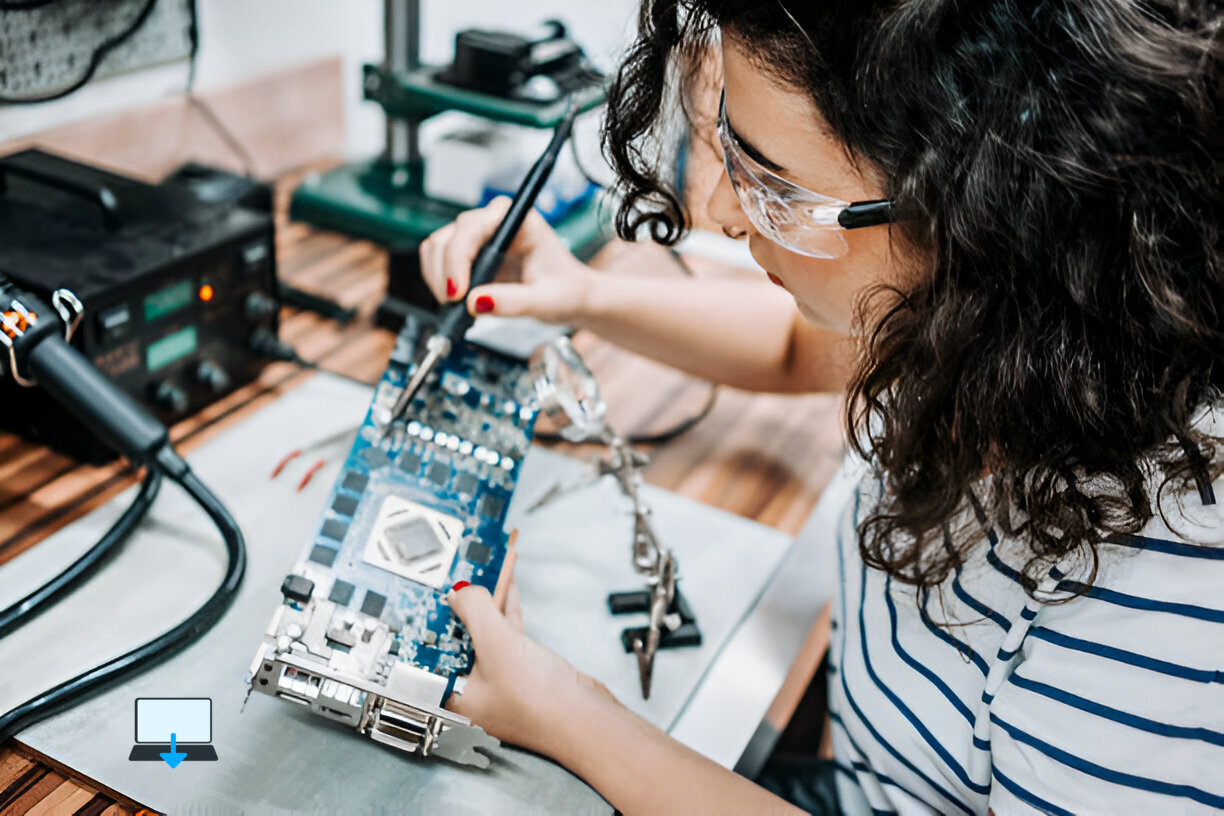
Best Computer Repair Practices for Preventive PC Maintenance
To effectively implement preventive PC maintenance strategies, consider the following our best practices:
A. Establish a Routine Schedule
Creating a schedule for regular maintenance tasks helps ensure consistency:
- Weekly Tasks:
- Run antivirus scans.
- Clear browser cache.
- Check for software updates.
- Monthly Tasks:
- Perform disk clean-up.
- Defragment HDDs (if applicable).
- Inspect physical components for dust build-up.
- Quarterly Tasks:
- Backup important files.
- Review installed programs; uninstall those no longer needed.
- Update drivers for peripherals like printers or graphics cards.
B. Utilize Built-in Tools
Most operating systems come equipped with built-in tools designed for system optimization:
- Windows Disk Clean-up Tool: This tool helps remove temporary files and other unnecessary data from your hard drive.
- macOS Disk Utility: Use this tool to verify disk integrity and repair permissions as needed.
C. Invest in Quality Software Solutions
Consider investing in reputable third-party software solutions designed for system optimization:
- CCleaner: A popular tool that cleans up junk files while also providing registry cleaning options.
- Malwarebytes: An effective solution for detecting malware that traditional antivirus programs might miss.
D. Physical Cleaning Techniques
When it comes to physical cleaning:
- Power Down & Unplug Your Computer: Always ensure your device is powered off before performing any internal cleaning.
- Use Compressed Air: Blow out dust from fans and heat sinks using compressed air cans, this prevents static electricity build-up which could damage components.
- Microfiber Cloths & Isopropyl Alcohol: Use these materials to clean screens without scratching them, while avoiding moisture damage inside the case.
Conclusion
In conclusion, as computers become increasingly complex entities within our lives, serving multifaceted roles from workstations to entertainment hubs, the importance of preventive PC maintenance cannot be overstated.
By implementing our advice provided for free at Best Computer Repair regarding preventive PC maintenance, including regular checks, cleaning routines, updates, along with optimizations into your computer care regimen. You not only enhance performance but also extend the lifespan of your machine while safeguarding your valuable data against potential threats.
Eric Luis — CEO — Best Computer Repair
Embracing preventive measures today will pay dividends tomorrow; ensuring your computer remains reliable amidst an ever-evolving technological landscape is paramount for both productivity and peace of mind.
>>>Related post: DIY PC Maintenance Tips to Extend Device Lifespan<<<
If you enjoyed reading this post on “Increase Emphasis on Preventive PC Maintenance“ or if it helped you in any way, please feel free to show your support by giving us a share or a like.
It would mean a lot to us!… Still unsure about something?
Then consider giving us a chance to help you decide the best course of action for your situation, along with what would best meet your requirements.
We are highly flexible with a no fix no fee policy, one of the leading computer repair specialists, plus custom-built PC/server build, cybersecurity experts in Bridgend covering the whole of South Wales, U.K.
Book your FREE no-obligation quote today!
Our normal service area is Bridgend, however, we also cover Swansea, Port Talbot, Bryncethin, Sarn, Ogmore Vale, Maesteg, Llantwit Major, Cowbridge, Barry, Penarth, Dinas Powys, Cardiff, Newport.
Best Computer Repair Bridgend plus South Wales, U.K. also offer worldwide remote support, virus removal, or even custom-built gaming PCs.
We work with competitive rates, contactless payment, free delivery, along with a friendly, professional service that can’t be compared anywhere else in the IT Services industry.
Why not contact us today here or say hello in the live chat at the bottom right of the page.
Thank you for reading, plus have a wonderful week! 🙂
To our continued health plus success
Eric Luis – CEO Best Computer Repair –
Bridgend and South Wales, U.K.


POST REPLY