
In the world of gaming, performance is key. Gamers are constantly seeking ways to enhance their gaming experience, one of the most effective ways to do so is by overclocking and optimizing the cooling system of their gaming PCs.
Overclocking refers to the process of increasing the clock rate of a component, such as a processor or graphics card, beyond its factory-set specifications to achieve better performance.
However, this increased performance generates more heat, which can lead to instability along with potential damage if not properly managed.
This is where effective cooling solutions come into play.
>>>Related Post: Troubleshooting Common Custom Gaming PC Issues<<<
In this comprehensive guide, we will delve into the world of overclocking and cooling, exploring the benefits, risks, and best practices for maximizing the performance of your gaming PC.
Whether you’re a seasoned enthusiast or new to the world of PC gaming, this guide will provide you with valuable insights into optimizing your system for peak performance.
Understanding Overclocking: Unleashing the Power of Your Hardware
Before we dive into the intricacies of cooling solutions, it’s essential to understand the concept of overclocking and its impact on your gaming PC’s performance.
Overclocking involves pushing your hardware components beyond their default settings to achieve higher clock speeds and improved performance.
This can result in significant gains in frame rates, faster load times, and overall smoother gameplay experiences.
When it comes to overclocking, the central processing unit (CPU) and graphics processing unit (GPU) are the primary components targeted for enhanced performance.
By increasing the clock speeds of these components, gamers can experience a noticeable boost in their system’s capabilities.
However, it’s crucial to approach overclocking with caution, as improper techniques can lead to system instability, overheating, and even permanent damage to your hardware.
The Importance of Effective Cooling Solutions
As you push your hardware to operate at higher clock speeds through overclocking, heat generation becomes a critical concern.
The increased thermal output can lead to elevated temperatures within your PC, potentially causing performance throttling and long-term damage if not addressed adequately.
This is where efficient cooling solutions play a pivotal role in maintaining optimal operating temperatures for your components.
There are various cooling methods available to gamers, each with its unique advantages and considerations.
Air cooling, liquid cooling, and hybrid cooling solutions offer different approaches to dissipating heat from your hardware.
Understanding the characteristics of each cooling method is essential for making informed decisions about how to best manage the thermal output resulting from overclocking.
Air Cooling: Striking a Balance Between Performance and Affordability
Air cooling remains one of the most popular methods for managing thermal dissipation in gaming PCs Utilizing heatsinks, fans, and airflow dynamics etc.
Air coolers effectively draw heat away from components such as the CPU and GPU.
These coolers come in various designs, including tower-style coolers along with low-profile options for compact builds.
One of the primary advantages of air cooling is its cost-effectiveness compared to other cooling solutions.
High-quality air coolers can provide efficient heat dissipation while remaining relatively affordable for gamers seeking reliable thermal management.
Additionally, air coolers are generally easier to install and maintain compared to more complex liquid cooling setups.
However, it’s important to note that air cooling may have limitations when it comes to handling extreme overclocking scenarios or managing heat output from high-end hardware configurations.
While air coolers can offer excellent performance for moderate overclocks and standard gaming loads, they may struggle to keep up with the demands of aggressive overclocking profiles.
Liquid Cooling: Harnessing Advanced Thermal Management
Liquid cooling represents a more advanced approach to thermal management in gaming PCs.
This method utilizes a closed-loop system or custom loop configuration that circulates coolant through dedicated blocks attached to the CPU and GPU.
The coolant absorbs heat from these components before being transported to a radiator where it dissipates into the surrounding environment.
One of the key advantages of liquid cooling is its exceptional thermal dissipation capabilities.
Liquid coolers can effectively manage heat output from heavily overclocked components, allowing gamers to push their hardware to higher performance thresholds while maintaining stable operating temperatures.
Additionally, liquid cooling systems often operate with reduced noise levels compared to some high-performance air coolers.
While liquid cooling offers superior thermal management potential, it also comes with certain considerations that warrant careful evaluation.
The initial cost of entry for quality liquid cooling solutions can be higher than that of air coolers due to additional components such as radiators, pumps, and tubing.
Furthermore, maintenance requirements for custom loop configurations may demand greater attention from users compared to simpler air cooler setups.
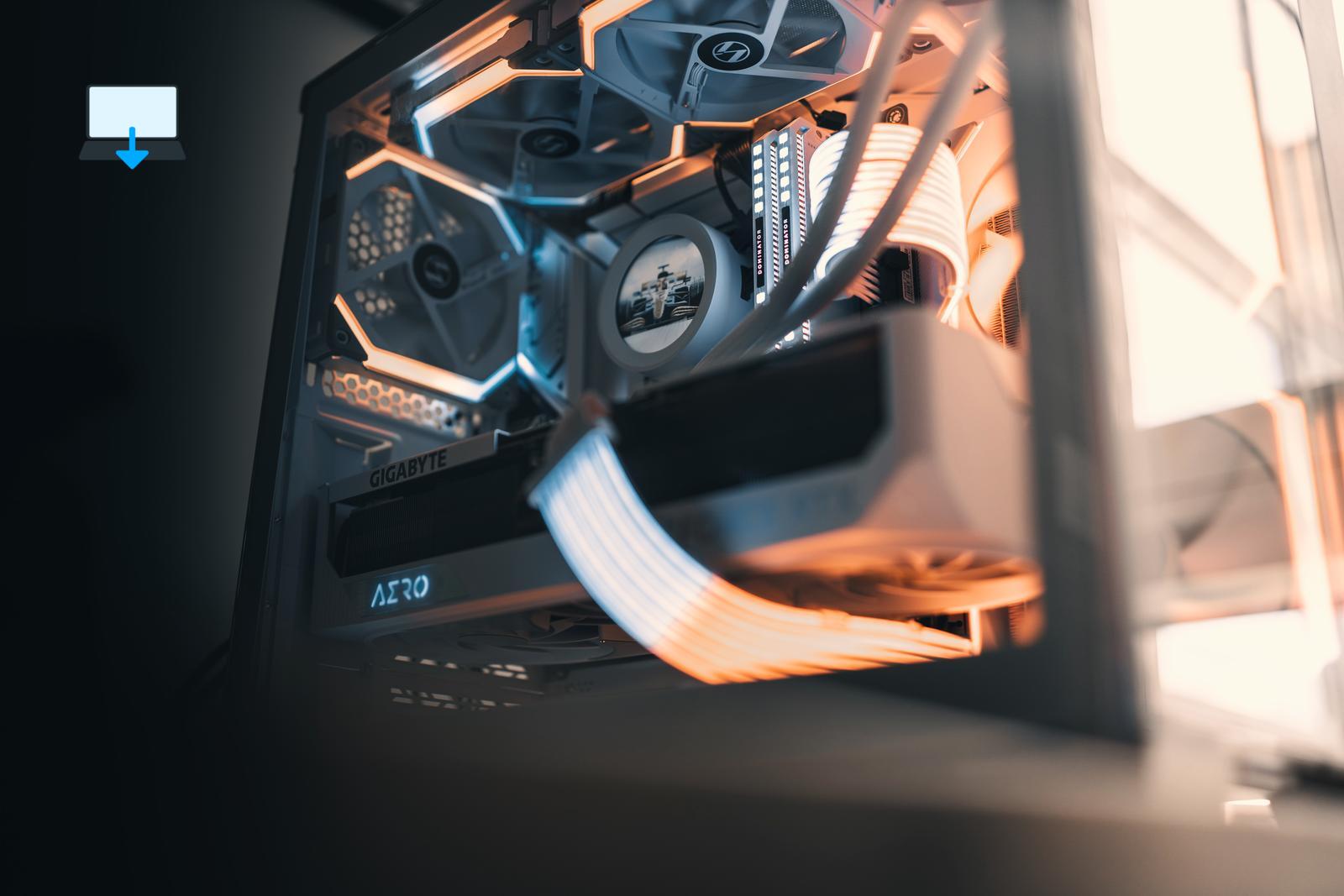
Hybrid Cooling: Blending Efficiency Plus Versatility
Hybrid cooling solutions combine elements of both air and liquid cooling methodologies to offer a balanced approach to thermal management.
These systems typically feature an all-in-one (AIO) liquid cooler integrated with a combination of air-cooled heatsinks or fans for comprehensive heat dissipation across multiple components within a gaming PC.
The hybrid approach aims to leverage the strengths of both air and liquid cooling while mitigating their respective weaknesses.
By incorporating liquid-cooled blocks for critical components such as the CPU or GPU alongside supplementary air-cooled elements for other areas of thermal concern, hybrid coolers seek to deliver efficient heat dissipation without sacrificing versatility or ease of installation.
For gamers seeking a middle ground between traditional air cooling and full-fledged liquid cooling setups, hybrid solutions present an appealing option.
These coolers offer enhanced thermal performance compared to standard air coolers while often remaining more accessible in terms of cost plus maintenance requirements than custom liquid cooling configurations.
Best Practices for Overclocking: Balancing Performance and Stability
As you explore the realm of overclocking your gaming PC’s hardware, it’s crucial to adopt best practices that prioritize both performance gains along with system stability.
Overclocking inherently involves pushing your components beyond their intended specifications, which introduces potential risks if not approached methodically.
Firstly, thorough research is essential before embarking on an overclocking endeavor. Nothing also beats our 25 plus years of experience of course so some may prefer to trust profesionals for this alone.
Understanding the capabilities along with limitations of your specific hardware components is crucial for setting realistic expectations regarding potential performance gains through overclocking.
Additionally, familiarizing yourself with reputable guides plus resources tailored to your hardware configurations can provide valuable insights into safe voltage ranges, temperature thresholds, plus recommended settings for achieving stable overclocks.
Secondly, incremental adjustments are key when fine-tuning your system’s clock speeds plus voltages during overclocking.
Rushing into aggressive overclocks without gradually testing stability can lead to immediate system crashes or long-term degradation of your hardware’s lifespan.
By incrementally increasing clock speeds or adjusting voltages while monitoring temperature levels under load conditions, you can methodically optimize your system’s performance without compromising its longevity.
Furthermore, stress testing tools play a vital role in validating the stability of your overclocked configurations.
Programs such as Prime95 for CPU stress testing or FurMark for GPU stress testing enable users to subject their systems to sustained workloads that simulate real-world usage scenarios.
By observing temperature trends and ensuring consistent stability during stress tests, you can gain confidence in the reliability of your overclocked settings before committing them to regular usage.
Lastly, maintaining vigilance over temperature management is paramount when engaging in overclocking activities.
Effective monitoring tools such as HWMonitor or MSI Afterburner allow users to track temperature readings from critical components in real-time while under heavy workloads.
Keeping an eye on temperature fluctuations enables proactive adjustments or intervention if thermal thresholds are approached or exceeded during intense gaming sessions or benchmark runs.
Conclusion: Elevating Your Gaming Experience Through Overclocking and Cooling
In conclusion, maximizing the performance of your gaming PC through overclocking and cooling solutions offers an exciting avenue for enhancing your gaming experiences.
By understanding the principles behind overclocking and selecting appropriate cooling methods tailored to your specific needs, you can unlock new levels of performance while safeguarding the longevity of your hardware investments.
Whether you opt for robust air coolers capable of handling moderate overclocks or venture into advanced liquid or hybrid cooling setups for ambitious performance goals.
Prioritizing proper research combined with methodical tuning is essential throughout your journey into overclocking territory.
With careful consideration given to best practices for stability testing plus temperature management alongside prudent hardware selection based on reputable sources.
>>>Related Post: Troubleshooting Common Custom Gaming PC Issues<<<
If you enjoyed reading this post on “Overclocking and Cooling: Maximizing Performance in Your Custom Built Gaming PC“ or if it helped you in any way, please feel free to show your support by giving us a share or a like.
It would mean a lot to us!… Still unsure about something?
Then consider giving us a chance to help you decide the best course of action for your situation, along with what would best meet your requirements.
We are highly flexible with a no fix no fee policy, one of the leading computer repair specialists, plus custom-built PC/server build, cybersecurity experts in Bridgend covering the whole of South Wales, U.K.
Book your FREE no-obligation quote today!
Our normal service area is Bridgend, however, we also cover Swansea, Port Talbot, Bryncethin, Sarn, Ogmore Vale, Maesteg, Llantwit Major, Cowbridge, Barry, Penarth, Dinas Powys, Cardiff, Newport.
Best Computer Repair Bridgend plus South Wales, U.K. also offer worldwide remote support, virus removal, or even custom-built gaming PCs.
We work with competitive rates, contactless payment, free delivery, along with a friendly, professional service that can’t be compared anywhere else in the IT Services industry.
Why not contact us today here or say hello in the live chat at the bottom right of the page. Thank you for reading, plus have a wonderful week! 🙂
To our continued health plus success
Eric Luis – CEO Best Computer Repair –
Bridgend and South Wales, U.K.


POST REPLY