
In this blog post, we will explore the most common computer components that often require upgrading.
Together, we will delve into the reasons behind these upgrades, provide examples, and offer insights into how they can enhance your computer’s performance.
So, grab your favourite beverage and join us on this exciting journey of discovering the key components that can take your computer to the next level.
>>>Related post: The Benefits of Upgrading Your Computer Components<<<
Common Computer Components Introduction
As technology rapidly advances, it’s essential to keep your computer up to speed.
Upgrading certain components can significantly improve your system’s performance, ensuring a smoother along with more efficient user experience.
Not to mention, by upgrading components to support the latest technology you can also avoid undetectable remote intruders, hackers and all sorts of cybersecurity issues.
So join us! as, we will shed light on the most common computer components that often need upgrading.
Let’s dive in!
The Processor (CPU)
First on the list of common computer components is the brain of your computer, the Central Processing Unit (CPU), it handles all the complex calculations along with instructions.
Upgrading your CPU to a faster plus more capable model can have a dramatic impact on your computer’s overall speed plus responsiveness.
For example, replacing an older dual-core processor with a newer quad-core or octa-core model will ensure smoother multitasking along with faster data processing.
Random Access Memory (RAM)
Second on our list of common computer components is RAM. It is your computer’s short-term memory, allowing it to quickly access along with process data.
If you often find your computer slowing down when running multiple programs or resource-intensive applications, it might be time to upgrade your RAM.
By increasing the amount of RAM, you can store more data temporarily, leading to improved multitasking capabilities and faster program execution.
Storage Drives
Third on the list of common computer components is the traditional Hard Disk Drives (HDDs) these seam to always bottleneck in modern computers.
Upgrading to a Solid State Drive (SSD) can revolutionize your computer’s speed along with performance.
SSDs offer faster boot times, quicker file transfers, plus reduced application loading times.
By replacing an ageing HDD with an SSD, you’ll experience a noticeable boost in overall system responsiveness.
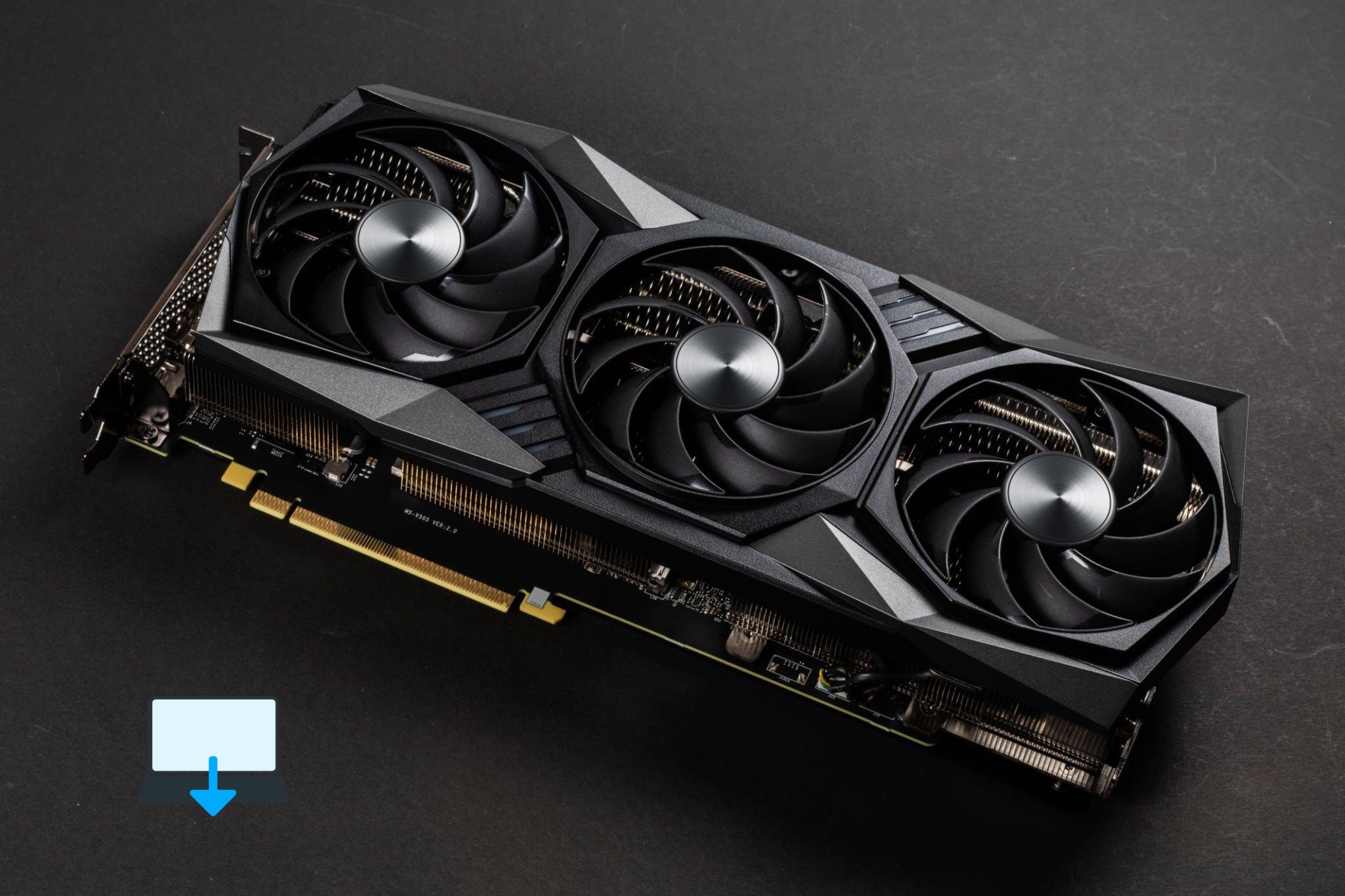
Graphics Card (GPU)
Fourth on our list of common computer components is the graphics card (Picture above) If you’re a gamer or use graphics-intensive applications, upgrading your graphics card can make a world of difference.
A powerful GPU can handle complex graphical calculations, ensuring smooth gameplay plus improved image rendering.
Whether you’re into video editing, 3D modelling, or gaming, a better graphics card can elevate your experience to new heights as a gamer or allow faster processing of hard digital imagery like AutoCAD.
Power Supply Unit (PSU)
Last but not least on our list of common computer components one often overlooked, the power supply unit is a critical component that ensures stable plus reliable power delivery to your computer.
Upgrading to a higher-wattage PSU can provide sufficient power for your upgraded components and prevent system instability or crashes.
Conclusion
Upgrading your computer’s components is a smart investment to keep up with the ever-evolving technology landscape when needed, though.
By improving your CPU, RAM, storage drives, graphics card, plus power supply unit, you can unlock new levels of performance along with functionality.
Whether you’re a gamer, a creative professional, or simply a computer enthusiast, upgrading these common components will undoubtedly enhance your computing experience.
Remember, staying up-to-date with the latest technology trends plus considering the unique requirements of your computer usage will help you make informed decisions when upgrading.
So, go ahead, explore the possibilities, set your computer on the best path to greatness!
We hope you found this article informative and enjoyable.
If you have any questions or would like further guidance, feel free to reach out to us.
Happy upgrading!
>>>Related post: The Benefits of Upgrading Your Computer Components<<<
If you enjoyed reading this post on “The Most Common Computer Components that Need Upgrading.“ or if it helped you in any way, please feel free to show your support by giving us a share or a like.
It would mean a lot to us!… Still unsure about something?
Then consider giving us a chance to help you decide the best course of action for your situation, along with what would best meet your requirements.
We are highly flexible with a no fix no fee policy along with being one of the leading computer repair specialists plus custom-built PC computer/server build specialists in Bridgend and South Wales, U.K.
Book your FREE no-obligation quote today!
Our normal service area is Bridgend, however, we also cover Swansea, Port Talbot, Bryncethin, Sarn, Ogmore Vale, Maesteg, Llantwit Major, Cowbridge, Barry, Penarth, Dinas Powys, Cardiff, plus as far as Newport.
Best Computer Repair Bridgend plus South Wales, U.K. can also offer worldwide remote support, virus removal, or even custom-built gaming PCs.
We work with competitive rates, contactless payment, and delivery, along with a friendly, professional service that can’t be beaten anywhere else.
Why not contact us today here or say hello in the live chat at the bottom right of the page. Thank you for reading, plus have a wonderful week! 🙂
To our continued health plus success
Eric Luis – CEO Best Computer Repair –
Bridgend and South Wales, U.K.


POST REPLY