
Building a custom gaming desktop PC can be an exciting journey. But, the multitude of choices available can also be quite overwhelming.
This guide will help you navigate this labyrinth, ensuring you select the best components for your ultimate gaming experience.
>>>Related post:Guide: What Makes a Good Gaming PC<<<
Understanding the Basics
Before diving into the specifics, it’s essential to understand the basic requirements of a custom gaming desktop PC.
The major components you’ll need to consider are:
- Central Processing Unit (CPU)
- Graphics Processing Unit (GPU)
- RAM (Random Access Memory)
- Storage (SSDs and/or HDDs)
- Power Supply Unit (PSU)
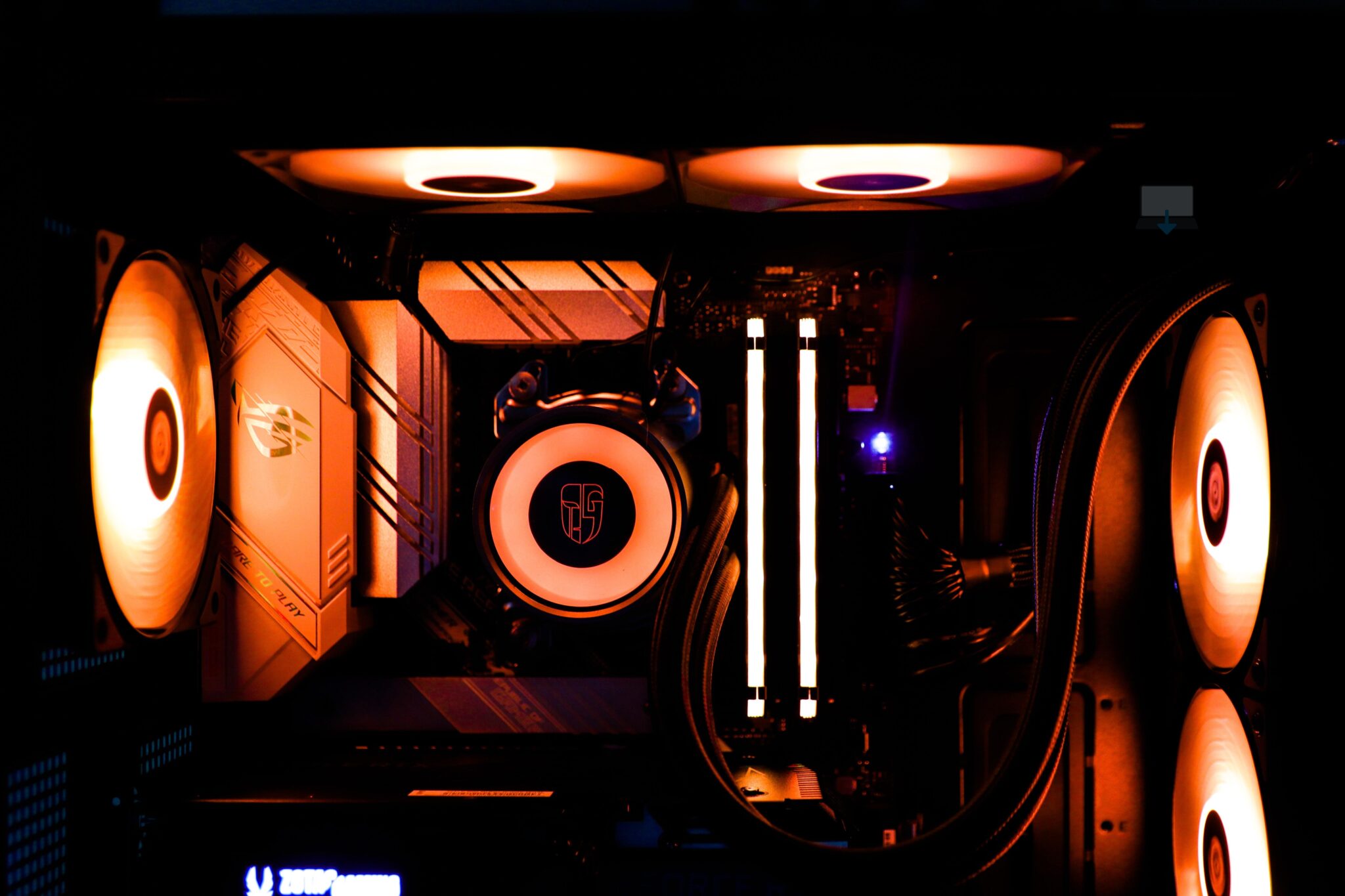
- Cooling System
- Motherboard
- PC Case
Let’s delve into each of these components to understand their roles, along with how to choose the right ones for your custom build.
The Central Processing Unit (CPU)
The CPU is the brain of your PC.
It’s responsible for executing the instructions of a computer program.
When deciding a CPU for a gaming PC, consider the number of cores along with the clock speed.
For example, the AMD Ryzen 9 5950X, with its 16 cores and 32 threads, is an excellent choice for gamers looking for high performance.
However, intel is also leading the pack with the more expensive i7 or i9 models, at least when it comes to high end 4k gaming onwards, so it will depend on your budget at the end of the day.
The Graphics Processing Unit (GPU)
The GPU is the heart of a gaming PC.
It handles rendering graphics plus image processing.
A powerful GPU ensures smooth gameplay along with the gamers delight of high frame rates.
Options like the NVIDIA GeForce RTX 3080 or the new RTX 4090 provide stunning graphics plus exceptional performance.
Motherboard
The motherboard is like the nervous system of the PC. It connects all the components.
When deciding a motherboard, ensure it’s compatible with your CPU plus has enough slots for your RAM along with GPUs.
The ASUS ROG Strix Z490-E Gaming motherboard, for instance, supports a wide range of CPUs plus has multiple slots for RAM plus a dedicated GPU.
RAM (Random Access Memory)
RAM is your system’s short-term memory.
It temporarily stores data for quick access. For gaming, 16 GB of RAM is generally sufficient.
However, for more demanding games or if you plan to multitask, 32 GB might be a better option.
Storage: SSDs and HDDs
Storage is where your system keeps all your games, applications, along with files.
Solid State Drives (SSDs) are faster but more expensive, while Hard Disk Drives (HDDs) offer more storage for less money but are slower.
A combination of both, such as a 1 TB HDD for storage and a 500 GB SSD for your operating system and frequently played games, can provide a balance of speed along with storage.
Power Supply Unit (PSU)
The PSU provides power to your components.
It’s essential to choose a PSU that can sufficiently support your system’s power needs.
A PSU with too low wattage might not power all your components, while one with too high wattage could be unnecessarily expensive.
Tools like the PSU Calculator can help you estimate your system’s power requirements.
Cooling System
High-performance components can generate significant heat.
A good cooling system is essential to keep temperatures in check plus prevent overheating.
You can pick between air cooling, which is more affordable, or liquid cooling, which is more efficient but also more expensive.
PC Case
Last but not least, the PC case houses all your components.
It should have enough space for your hardware, plus it should support good airflow for cooling.
The NZXT H510, for example, is a great base to build with, offers a clean design with excellent cable management along with cooling options.
Summary
Building a custom gaming desktop PC can be a rewarding experience.
It allows you to handpick each component based on your specific needs along with your budget.
Remember, the most expensive parts aren’t always the best for your needs.
Compatibility, balance, plus personal requirements should guide your decisions best.
>>>Related post:Guide: What Makes a Good Gaming PC<<<
If you enjoyed reading this post on “Choosing the Best Components for Your Custom Gaming Desktop PC“ or if it helped you in any way, please feel free to show your support by giving us a share or a like. It would mean a lot to us!
Still unsure? Then consider giving us a chance to help you decide the best course of action for your situation, along with what would best meet your requirements.
We are highly flexible with a no fix no fee policy along with being one of the leading computer repair specialists plus custom-built PC computer/server build specialists in Bridgend and South Wales, U.K.
Book your FREE no-obligation quote today!
Our normal service area is Bridgend, however, we also cover Swansea, Port Talbot, Bryncethin, Sarn, Ogmore Vale, Maesteg, Llantwit Major, Cowbridge, Barry, Penarth, Dinas Powys, Cardiff, and as far as Newport.
Best Computer Repair Bridgend and South Wales, U.K. can also offer worldwide remote support, virus removal, or even custom-built gaming PCs.
We work with competitive rates, contactless payment, and delivery, along with a friendly, professional service that can’t be beaten anywhere else.
Why not contact us today here or say hello in the live chat at the bottom right of the page. Thank you for reading and have a wonderful week! 🙂
To our continued health and success
Eric Luis – CEO Best Computer Repair –
Bridgend and South Wales, U.K.


POST REPLY