
In the fast-paced world of technology, operating systems play a crucial role in shaping our digital experiences. With each new release, the best ones bring forth a wave of innovation, improvements, plus features that enhance our productivity along with enjoyment. One such operating system that has garnered significant attention in recent times is Windows 11 OS.
Launched two years ago, Windows 11 OS has been met with both excitement along with scepticism.
In this blog post, we will take a comprehensive look at the key features, advancements, plus user experience of Windows 11 OS over the past year.
>>>How to move the Windows 11 Start button<<<
The Evolution of Windows 11 OS
Windows 11 OS marks a significant departure from its predecessor, Windows 10.
Microsoft aimed to create an operating system that not only meets the needs of modern users but also offers a seamless plus immersive computing experience.
The following are some of the notable advancements that have shaped Windows 11 OS in its first year:
1. Redesigned Start Menu and Taskbar
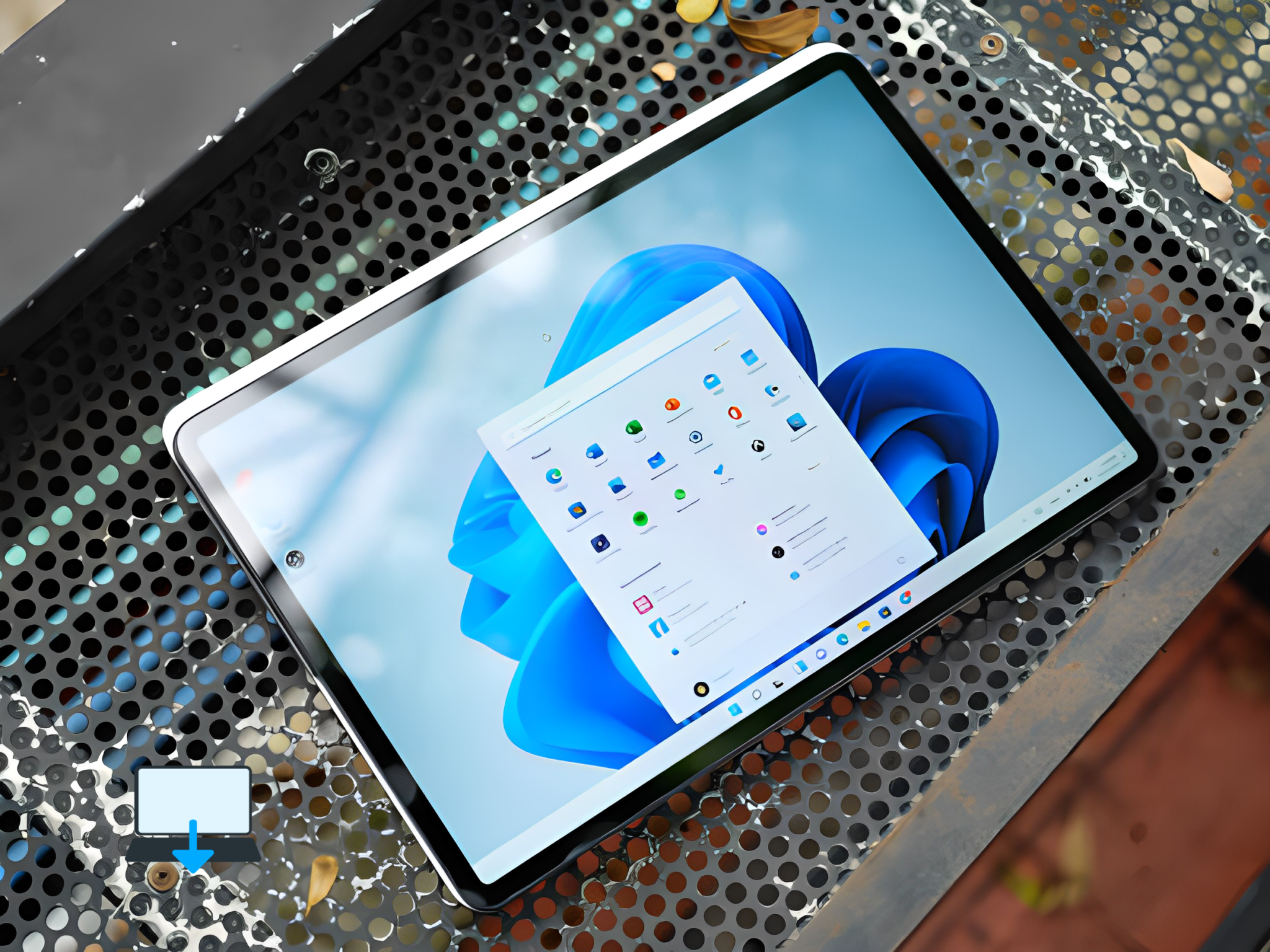
One of the most visible changes in Windows 11 OS is the redesigned Start Menu plus Taskbar.
The Start Menu is now centred, providing a cleaner along with more organized layout. (Although we show our readers how to change this back if you prefer check out my older blog post here)
The Live Tiles from Windows 10 have been replaced with static icons, allowing for easier navigation plus customization.
2. Enhanced Multitasking with Snap Layouts
Windows 11 OS introduces Snap Layouts, a feature that simplifies multitasking by allowing users to arrange multiple windows on their screen in various layouts with just a few clicks.
This feature enhances productivity by enabling users to work on multiple tasks simultaneously without losing focus or wasting time on window management.
3. Virtual Desktops Plus Desktop Widgets
To further enhance productivity, Windows 11 OS introduces Virtual Desktops, which enable users to create separate desktop environments for different purposes or projects.
Users can switch between desktops effortlessly, helping them stay organized plus focused.
Additionally, Windows 11 OS introduces Desktop Widgets, providing users with at-a-glance information plus quick access to their favourite apps along with services.
4. Microsoft Teams Integration
Recognizing the growing importance of remote collaboration, Microsoft has integrated its popular communication platform, Microsoft Teams, directly into the taskbar of Windows 11 OS.
This integration allows users to quickly access Teams plus initiate video calls or chat conversations without the need for opening a separate application.
5. Gaming Enhancements
Windows 11 OS brings several gaming enhancements, making it an attractive choice for gamers.
The operating system introduces Auto HDR, which automatically enhances the visual quality of games that support High Dynamic Range (HDR).
It also includes DirectStorage technology, enabling faster load times plus smoother gameplay by leveraging the power of NVMe SSDs.
User Experience and Feedback
While Windows 11 OS has introduced many exciting features plus improvements, its user experience has been met with mixed reviews.
Some users have praised the sleek design along with enhanced productivity features, while others have expressed concerns about compatibility issues with older hardware plus software.
Microsoft has actively sought user feedback through various channels, including the Windows Insider Program.
This program allows users to test pre-release versions of Windows 11 OS plus provide feedback to shape its development.
Microsoft has also been surprisingly responsive to user feedback, releasing regular updates plus addressing reported issues promptly.
The Future of Windows 11 OS
Looking ahead, Microsoft has ambitious plans for Windows 11 OS.
The company aims to continue refining the operating system based on user feedback along with integrating evolving technological trends.
Some upcoming features include further integration with Microsoft’s cloud services, improved gaming performance, plus enhanced security measures to protect user data.
Microsoft is also actively working on expanding compatibility with older hardware configurations to ensure a smooth transition for existing Windows users.
Regular updates plus feature additions are expected to keep Windows 11 OS relevant along with competitive in the ever-evolving tech landscape.
Conclusion
Windows 11 OS has had a significant impact on the computing landscape since its launch.
With its redesigned interface, enhanced productivity features, plus gaming improvements, it has garnered attention from users worldwide.
While some challenges or criticisms have emerged, Microsoft’s commitment to user feedback plus continuous improvement is expected to shape the future of Windows 11 OS in a positive direction.
As we reflect on the two years of Windows 11 OS, it is clear that this operating system has laid a solid foundation for Microsoft’s vision of a modern plus seamless computing experience.
With ongoing updates along with refinements, Windows 11 OS is poised to become an integral part of our digital lives. What do you think?
Let us know in the comments below, do you like Windows 11?
>>>How to move the Windows 11 Start button<<<
If you enjoyed reading this post on “Windows 11 OS: Two Years in Review“ or if it helped you in any way, please feel free to show your support by giving us a share or a like.
It would mean a lot to us!… Still unsure about something?
Then consider giving us a chance to help you decide the best course of action for your situation, along with what would best meet your requirements.
We are highly flexible with a no fix no fee policy, one of the leading computer repair specialists, plus custom-built PC/server build, cybersecurity experts in Bridgend covering the whole of South Wales, U.K.
Book your FREE no-obligation quote today!
Our normal service area is Bridgend, however, we also cover Swansea, Port Talbot, Bryncethin, Sarn, Ogmore Vale, Maesteg, Llantwit Major, Cowbridge, Barry, Penarth, Dinas Powys, Cardiff, Newport.
Best Computer Repair Bridgend plus South Wales, U.K. also offer worldwide remote support, virus removal, or even custom-built gaming PCs.
We work with competitive rates, contactless payment, free delivery, along with a friendly, professional service that can’t be compared anywhere else in the IT Services industry.
Why not contact us today here or say hello in the live chat at the bottom right of the page. Thank you for reading, plus have a wonderful week! 🙂
To our continued health plus success
Eric Luis – CEO Best Computer Repair –
Bridgend and South Wales, U.K.


POST REPLY