
Basically, solid state drives (SSDs) are semiconductor-based electronic circuits used to store memory inside a computer or laptop. External SSDs are also available.
Transistor radios were originally constructed with semiconductors rather than vacuum tubes.
Chips and semiconductors are the basis of most electronics today. Instead of magnetic platters in HDD’s, solid state drives use semiconductors as their primary storage medium in modern computers of today.
The similarities between SSDs and traditional drives
Solid state drives and USB flash drives both use non-volatile memory chips.
Each drive has a different form factor and capacity.
As opposed than external flash drives, SSDs are internal drives designed to replace hard drives inside computers.
On the outside, SSDs look almost identical to conventional hard drives.
SSD drives can be installed in laptops and desktop computers in place of hard drives.
It must have the same dimensions as a 1.8-inch, 2.5-inch, or 3.5-inch hard drive.
Furthermore, it uses the common SATA interface, so it can easily be plugged into any PC.
M.2 is a new form factor that looks more like a memory module.
Our favourite things
- Power consumption is reduced.
- Access to data is faster.
- A higher level of reliability.
The Things We Do Not Like
- SSD drives cost more than traditional storage devices.
- Life expectancy is shorter.
- The availability of capacity is smaller (However, affordability and size is improving).
Solid State Drives: Why Should You Use Them?
The advantages of solid state drives over traditional hard drives are numerous.
SSDs do not have moving parts.
The magnetic platters and the drive heads on older HDD magnetic drives are spun by drive motors; on a solid state drive, flash memory chips handle all the storage.
Power consumption plays an influential role in the use of solid-state drives in portable computers, such as a laptop.
Due to the absence of motors, the drive uses less energy than a regular hard drive.
Hybrid hard drives and spinning drives have been developed to address this discrepancy yet still do not come close.
Both of these, however, consume more power.
Compared to magnetic and hybrid hard drives, solid state drives consistently consume less power.
Data is read from the drive more quickly since the drive does not spin the platter or move the drive heads.
When it comes to frequently used drives, hybrid hard drives tend to mitigate the speed aspect.
Similarly, Intel’s brand-new Smart Response Technology caches data on a small solid state drive to produce similar results.
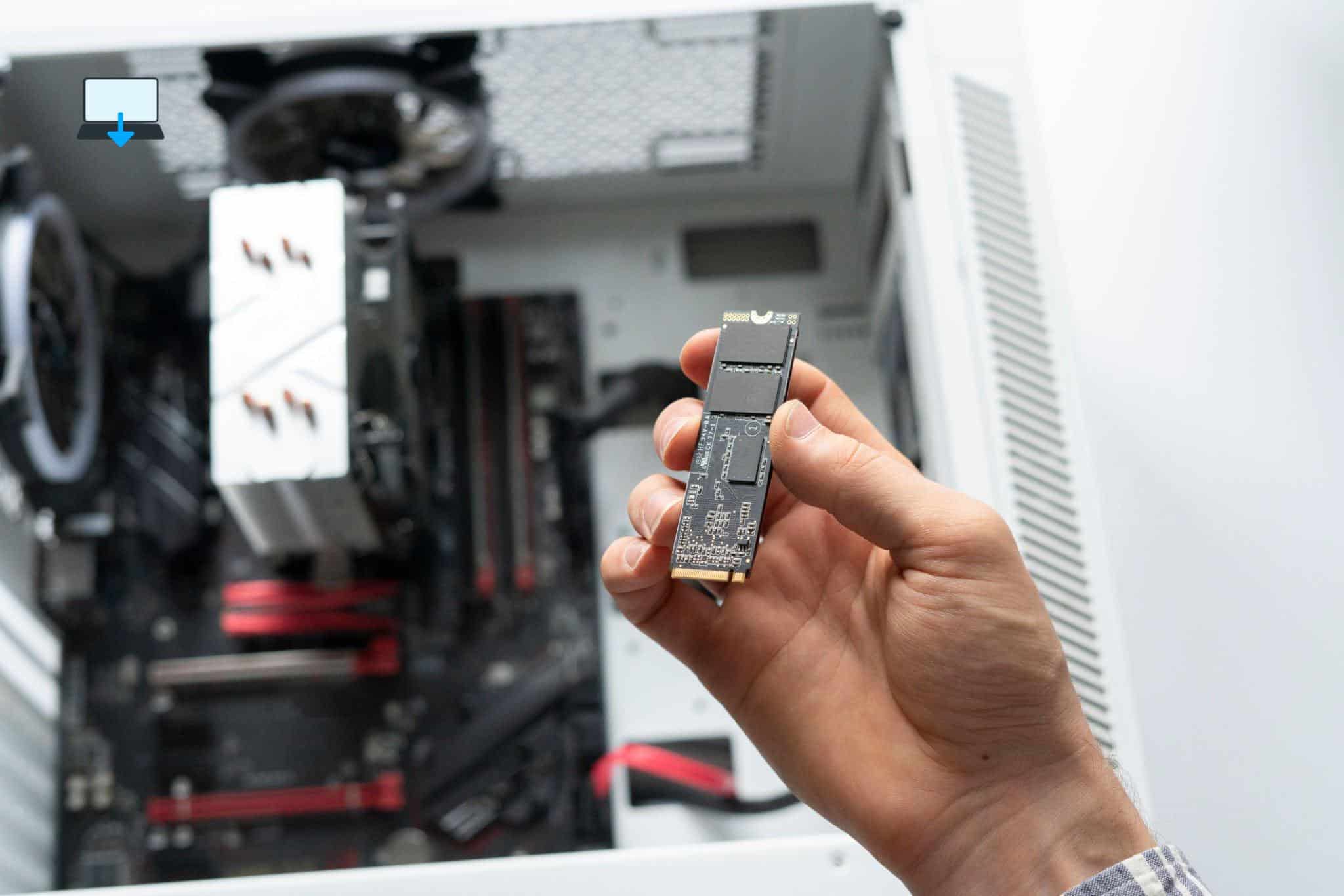
Reliability is provided by SSDs
Portable drives must also be reliable.
The platters of traditional hard drives are fragile and sensitive. A short drop can cause small jarring movements that can damage the drive.
With SSDs, there are fewer moving parts to damage in an impact since their data is stored on memory chips inside the PC.
SSD drives are mechanically better, but their lifespan is limited. A drive can only perform a certain number of write cycles before the cells become unusable.
Even with these write cycle limits, however, it allows drives to last longer than the average computer system for most consumers.
Is there a reason why SSDs aren’t used in every PC?
As with most computer technologies, the primary limiting factor of using solid state drives in laptop and desktop computers is cost.
These drives have been available for some time, but have only recently come down in price a lot compared to when they were released.
For the same storage capacity, these cost roughly three times as much as traditional hard drives.
Hard drives with higher capacities cost more. Solid state drives are also popular because of their capacity. A laptop with an SSD typically has 512 GB to 1 TB of storage.
Several years ago, a laptop with a magnetic drive had a drive like this.
A laptop or computer today can have a hard drive with many TB of storage.
There is a significant price disparity between SSDs and hard drives in desktop systems, especially when it comes to large-capacity SSDs.
Despite the differences in capacity, most computers have more storage than previous models.
A hard drive will likely fill up very quickly if there are numerous raw digital photos and high-definition videos.
For most laptop computers, solid state drives provide sufficient storage.
Also, users can add extra storage space with an external hard drive for non-essential files with a high-speed external option such as USB 3.0, USB 3.1, or Thunderbolt.
If you enjoyed reading this post on “What Is a Solid State Drive (SSD)?“ or if it helped you in any way, please feel free to show your support by giving us a share or a like.
It would mean a lot to us!… Still unsure about something?
Then consider giving us a chance to help you decide the best course of action for your situation, along with what would best meet your requirements.
We are highly flexible with a no fix no fee policy, one of the leading computer repair specialists, plus custom-built PC/server build, cybersecurity experts in Bridgend covering the whole of South Wales, U.K.
Book your FREE no-obligation quote today!
Our normal service area is Bridgend, however, we also cover Swansea, Port Talbot, Bryncethin, Sarn, Ogmore Vale, Maesteg, Llantwit Major, Cowbridge, Barry, Penarth, Dinas Powys, Cardiff, Newport.
Best Computer Repair Bridgend plus South Wales, U.K. also offer worldwide remote support, virus removal, or even custom-built gaming PCs.
We work with competitive rates, contactless payment, free delivery, along with a friendly, professional service that can’t be compared anywhere else in the IT Services industry.
Why not contact us today here or say hello in the live chat at the bottom right of the page.
Thank you for reading, plus have a wonderful week! 🙂
To our continued health plus success
Eric Luis – CEO Best Computer Repair –
Bridgend and South Wales, U.K.


? — Updated 2025)
POST REPLY